Collecting Public Feedback
How your users interact with your boards, voting, and commenting.
Your boards are public spaces where your community can shape your product. Here is what your users can do:
Viewing and Filtering
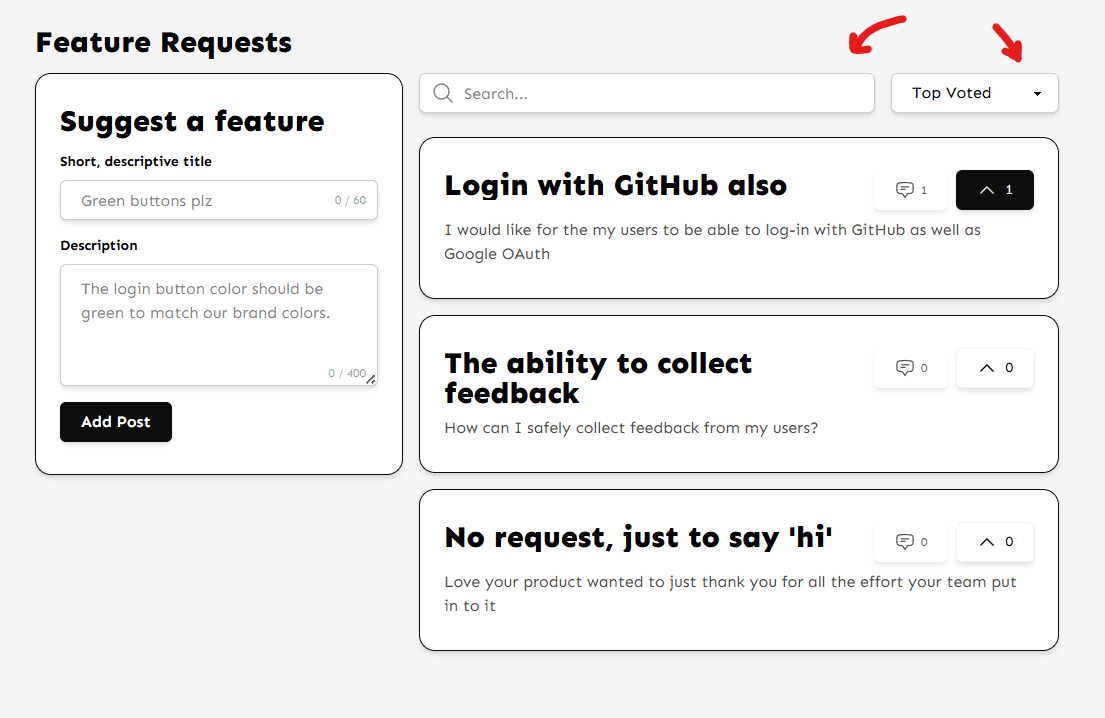
Users can browse all feedback posts. To find specific topics, they can use the Search Bar at the top. They can also Sort the list by 'Newest' or 'Top Voted' to see what's trending.
Interacting
- Posting: Users can submit new ideas using the form at the top of the board.
- Upvoting: A simple click on the chevron icon upvotes a post. This requires no login if Anonymous Voting is enabled.
- Commenting: Users can click on any post to open the details view and leave comments.
Can't find what you're looking for?
Contact Support