Creating & Customizing Boards
Master the art of board creation, from basic setup to advanced design.
Creating a New Board
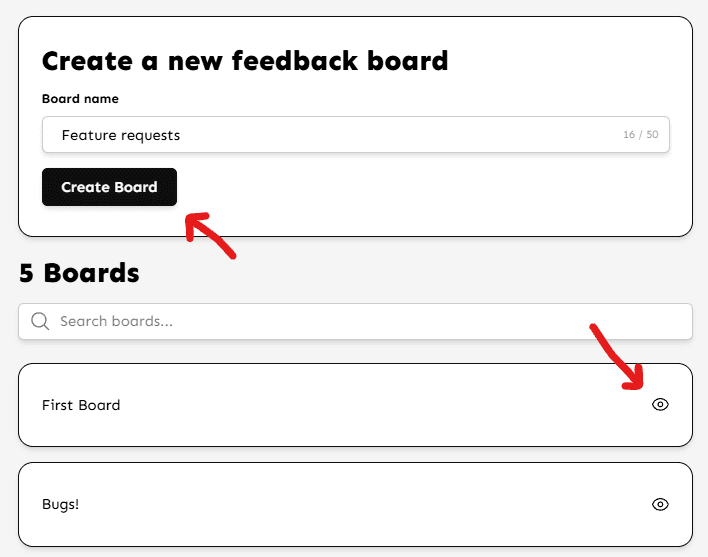
On your main dashboard, locate the Create Board section. Simply enter a name for your new board (e.g., 'Feature Requests' or 'Bug Reports') and click Create. Your board will be live instantly.
Basic Settings
To access these, click the Eye icon on any board card.
- Slug (URL): You can customize the link to your board (e.g.,
/b/roadmap). Verified owners can change this once every 24 hours. - Empty State: Customize the message users see when there are no posts.
Can't find what you're looking for?
Contact Support