Advanced Board Configuration
Deep dive into Form settings, Comment toggles, and Input constraints.
Take full control of how users interact with your board using the Extra Settings panel.
Form & Input Customization
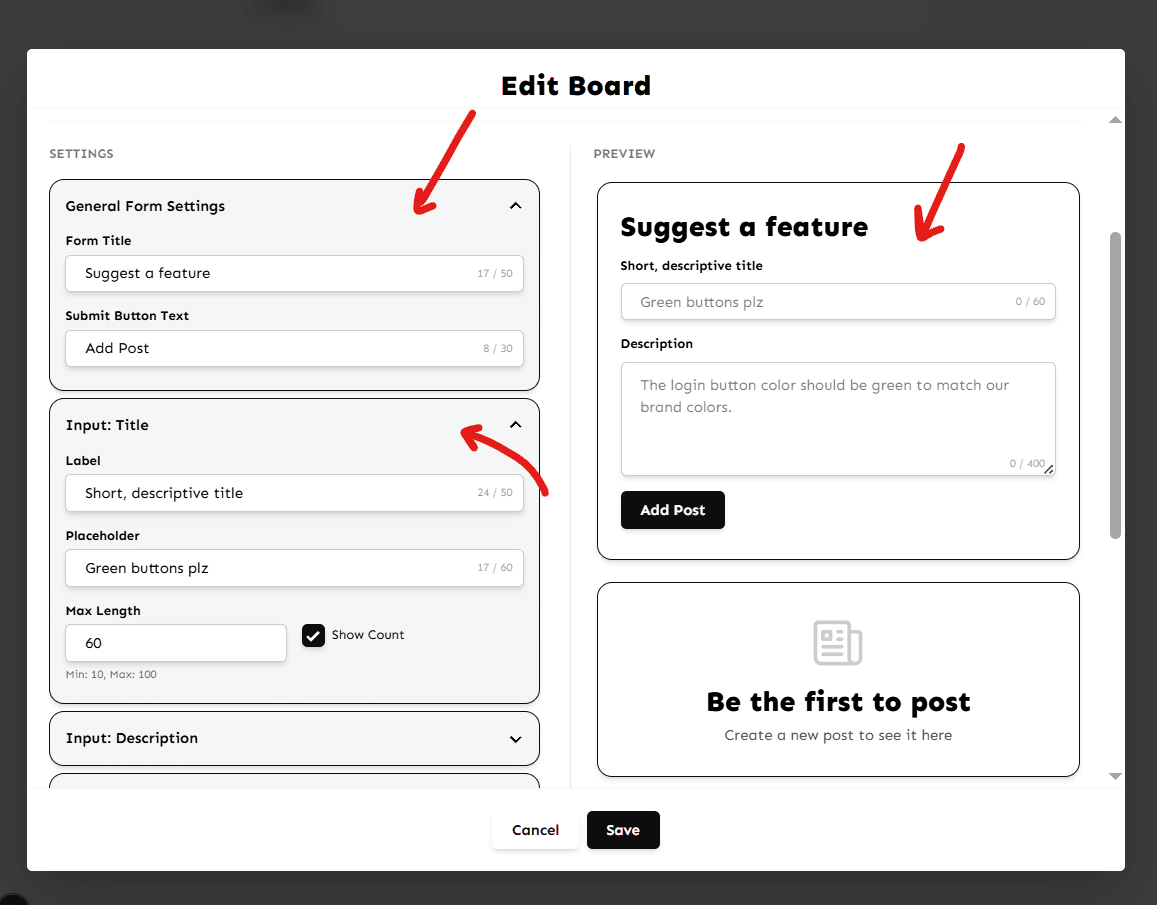
You can tailor the submission form to match your specific use case (e.g., bug reporting vs feature requests).
- Form Title: Change the header above the input fields (e.g., 'Submit a Bug').
- Input Placeholders: Guide your users with custom placeholder text.
- Character Limits: Set minimum/maximum lengths for titles and descriptions to ensure quality submissions.
Comment Settings
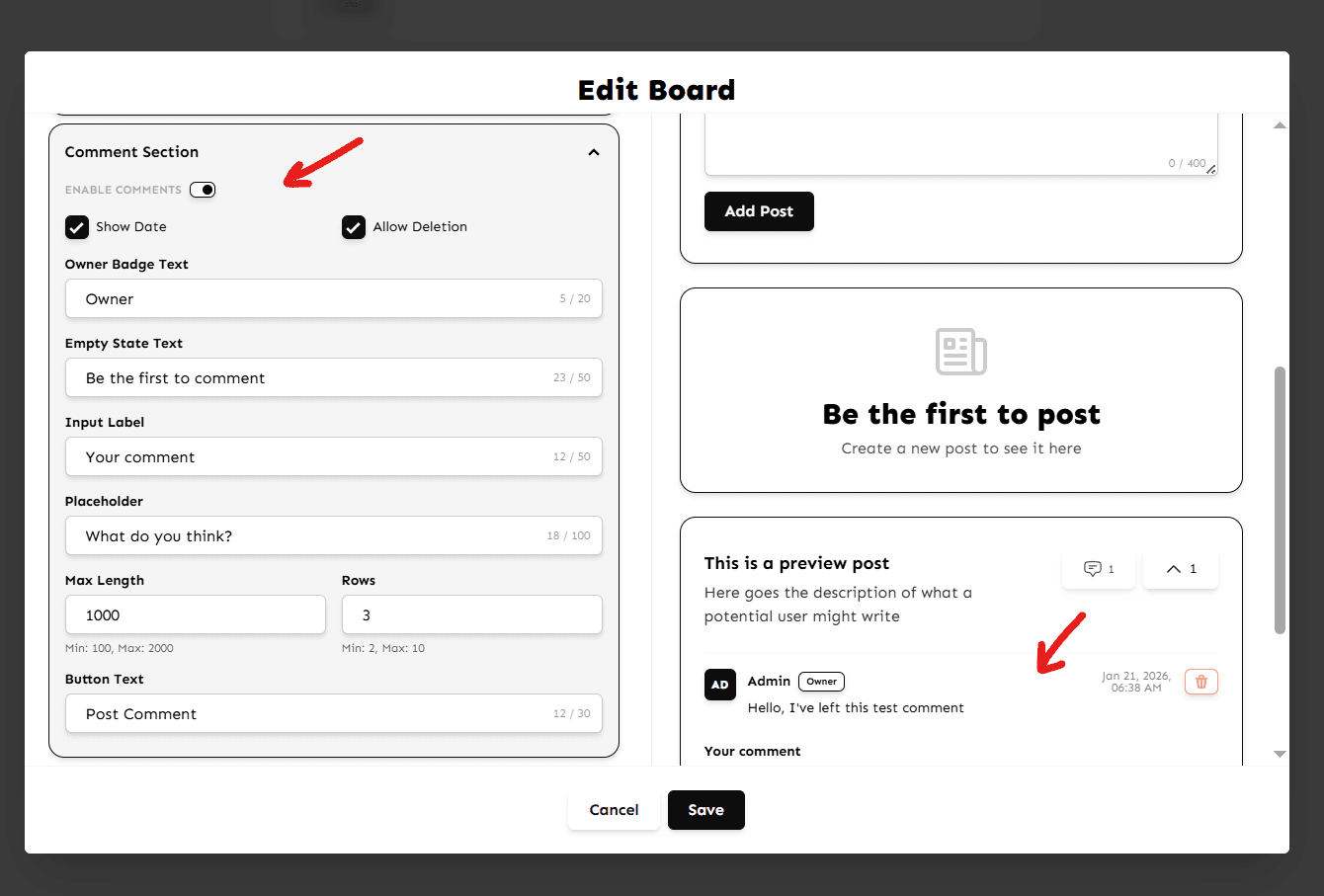
Decide whether users can discuss posts. You can Toggle Comments on or off for the entire board. This is useful for announcement-only boards.
Appearance
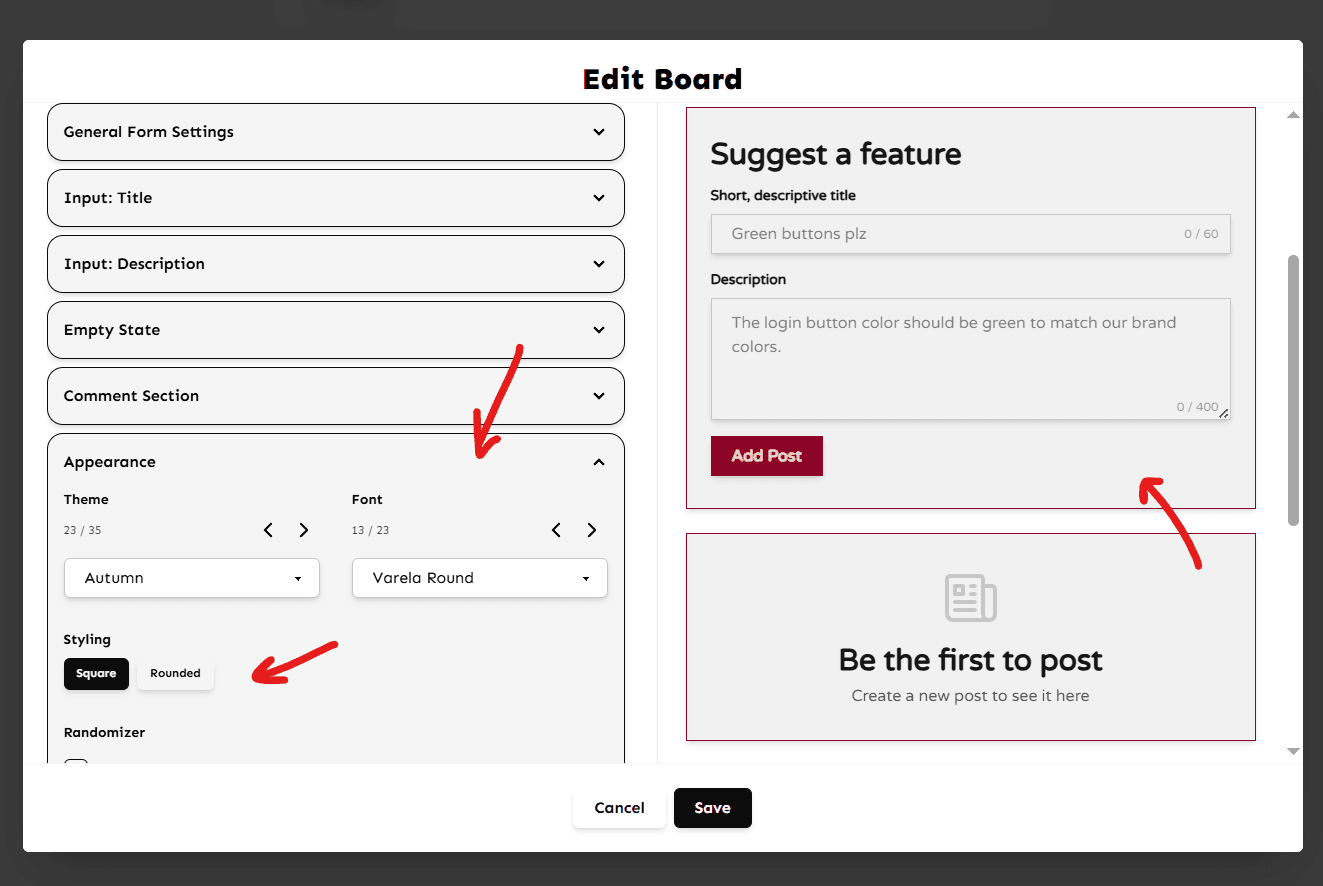
You can customize the appearance for each individual board, from the list of themes, fonts and give it a unique style with roundness or square look.
Can't find what you're looking for?
Contact Support